DATA INTEGRATION
Power Data Pipelines with Qlik's Data Integration Engine
Deliver analytics-ready data with automated integration and transformation. Automate ingestion, transformation, and delivery for faster analytics readiness.

Automate data integration and transformation to deliver analytics-ready data
Stop hand-coding pipelines. Use a high-performance engine to move and transform data across your hybrid enterprise.

Integrate data seamlessly across cloud and on-prem sources
Connect legacy mainframes, modern cloud databases, and SaaS apps in a single fabric.

Automate data pipelines with high-performance processing
Execute high-volume data movement and complex transformations with optimized push-down processing.

Ensure analytics trust with governed delivery
Deliver data that is accurate, traceable, and compliant directly to your warehouses and lakes.
How Qlik's data integration engine works
Step 1: Ingest and consolidate data from any system
Step 2: Transform, standardize, and enrich data
Step 3: Generate analytics-ready and AI-ready data outputs
Step 4: Automate delivery to warehouses, lakes, and analytics tools

Why choose Qlik's data integration engine?

Built for mission-critical ops
Rely on self-healing pipelines with built-in error handling and governance to keep your business running 24/7.

Integrate anywhere
Seamlessly move workloads between on-premises data centers and public clouds without refactoring your pipelines.
Accelerate development
Empower teams to build complex flows visually, reducing dependency on specialized coding skills.

Collaboration at the core
Unify your data teams on a single platform that supports the needs of engineering, operations, and business stakeholders.
Key capabilities of Qlik's data integration engine

Data movement and change data capture
Replicate data changes instantly from source to target with log-based CDC technology.

Intelligent transformations and data quality automation
Apply transformation logic and quality checks automatically within the pipeline flow.

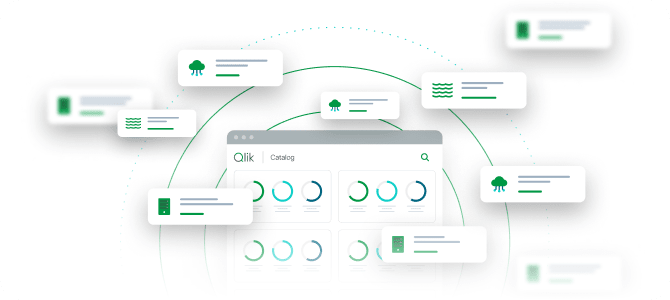
Metadata-driven data cataloging and lineage
Automatically harvest metadata to generate end-to-end lineage and a searchable data catalog.

Enterprise security, compliance, and operational controls
Manage access via roles and integrate with enterprise identity providers for secure operations.

Universal connectivity
Access hundreds of pre-built connectors for databases, file systems, and applications.

Push-down optimization
Leverage the power of your cloud data warehouse to run transformations efficiently at scale.
Trusted by leading enterprises worldwide


What our customers say


We needed to consolidate data in one place, from heterogeneous sources, updated in almost real-time. That’s what Qlik enables for us.


Connect to 500+ data sources with Qlik’s analytics integrations

SAP

Adobe

IBM

AWS

MySQL

Jira

Azure

MS SQL

Apache

Mongo DB
SAP
Adobe
IBM
AWS
MySQL
Jira
Azure
MS SQL
Apache
Mongo DB
SAP
Adobe
IBM
AWS
MySQL
Jira
Azure
MS SQL
Apache
Mongo DB
SAP
Adobe
IBM
AWS
MySQL
Jira
Azure
MS SQL
Apache
Mongo DB
SAP
Adobe
IBM
AWS
MySQL
Jira
Azure
MS SQL
Apache
Mongo DB

Oracle

Salesforce

Workday

Apache Iceberg

CircleCI

Zendesk

Snowflake

Databricks


OpenAI

Intuit
Oracle
Salesforce
Workday
Apache Iceberg
CircleCI
Zendesk
Snowflake
Databricks
OpenAI
Intuit
Oracle
Salesforce
Workday
Apache Iceberg
CircleCI
Zendesk
Snowflake
Databricks
OpenAI
Intuit
Oracle
Salesforce
Workday
Apache Iceberg
CircleCI
Zendesk
Snowflake
Databricks
OpenAI
Intuit
Oracle
Salesforce
Workday
Apache Iceberg
CircleCI
Zendesk
Snowflake
Databricks
OpenAI
Intuit
Resources


Data Integration Engine FAQs
In most cases, Qlik's agentless CDC technology reads transaction logs directly, minimizing impact on source system performance.
Yes, the engine is architected for enterprise scale and is proven to handle petabytes of data and high-velocity transaction streams.
Qlik has native, optimized integrations with major cloud platforms including Snowflake, Databricks, AWS Redshift, Google BigQuery, and Microsoft Azure Synapse.